Skip to content

Batch parcel analysis

Batch parcel analysis uses satellite imagery to monitor every parcel in your portfolio across the periods you choose. We process each parcel with the same settings. This way, whether you are preparing evidence for a carbon project or tracking parcels period by period, you can compare the results directly across parcels. For each parcel, you receive a PDF report, an Excel spreadsheet, and a KMZ file that opens in Google Earth, together with a summary spreadsheet for the portfolio, in a single delivery.

Send your parcel
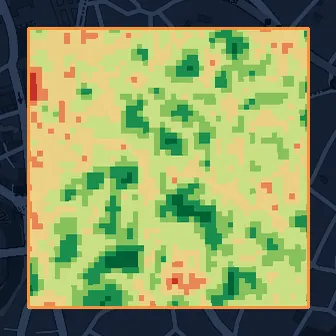
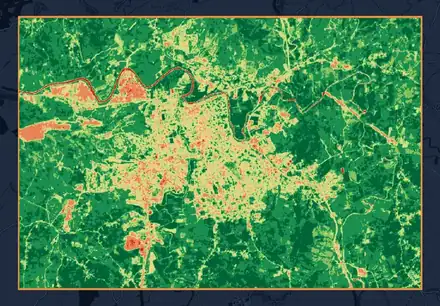
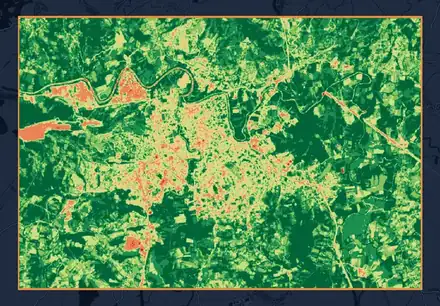
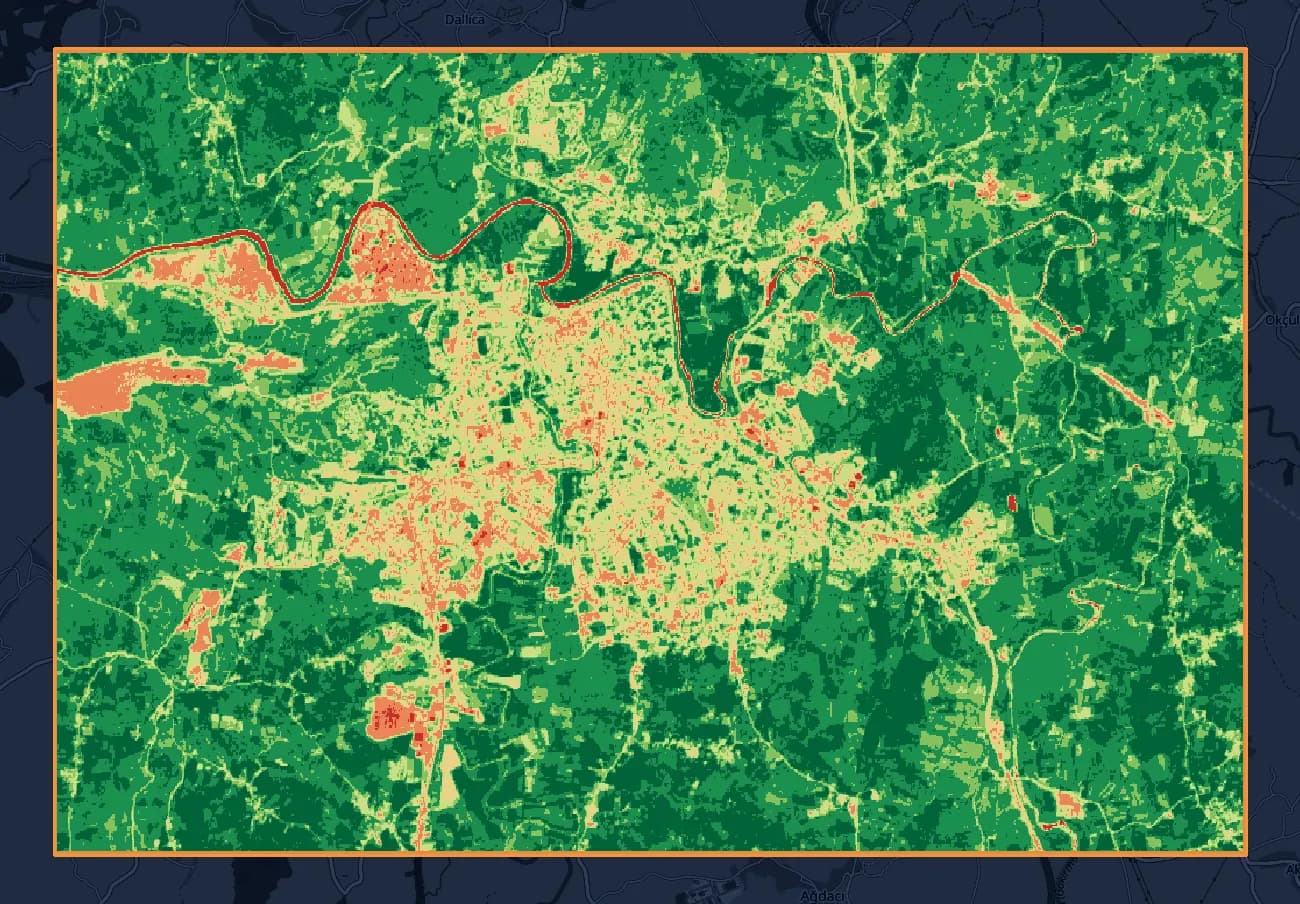
NDVI map of Bartın, April 2024, on an OpenStreetMap base map.April 2024
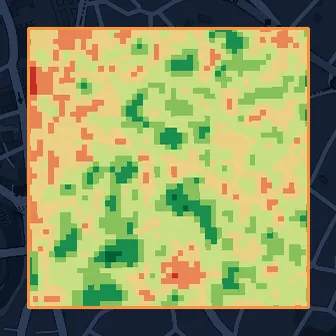
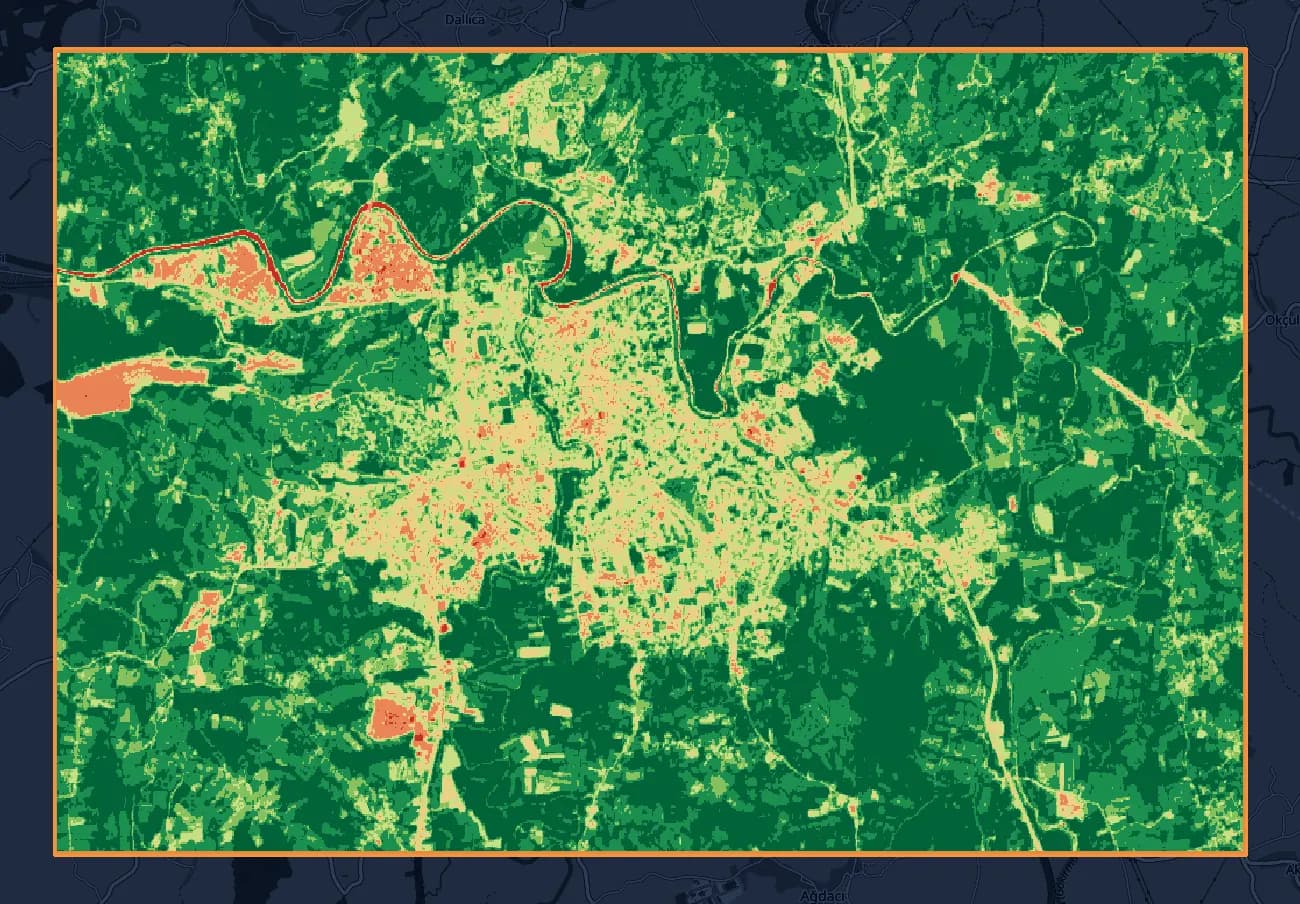
NDVI map of Bartın, May 2024, on an OpenStreetMap base map.May 2024
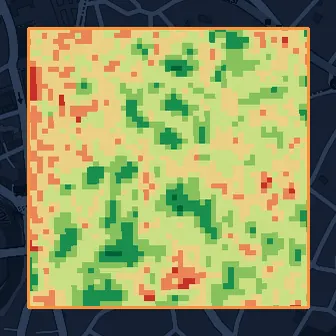
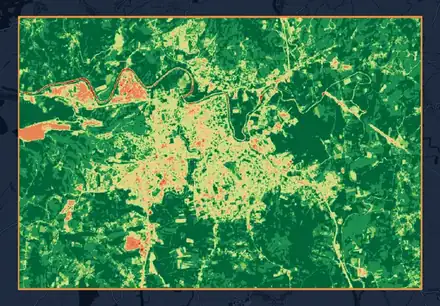
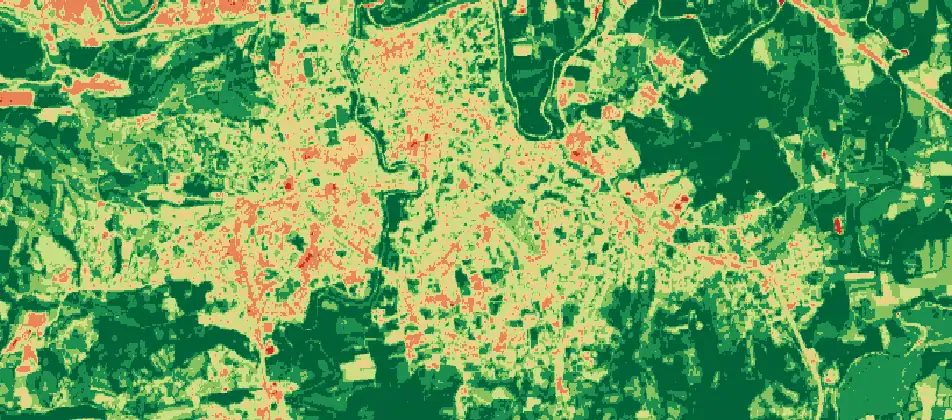
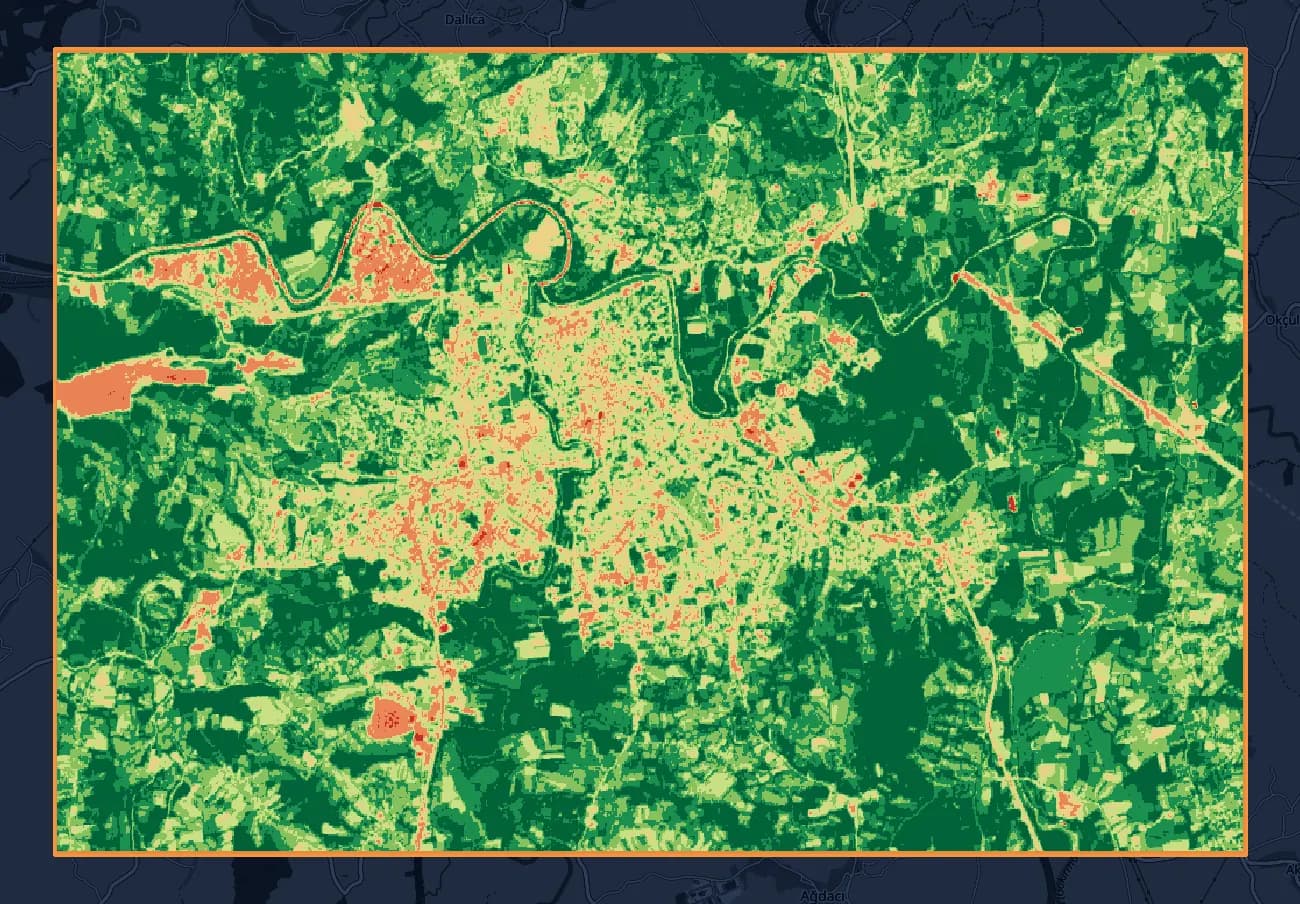
NDVI map of Bartın, June 2024, on an OpenStreetMap base map.June 2024

NDVI classes · June 2024

  • Water Bodies0.1%
  • Bare Soil3.1%
  • Sparse Vegetation7.5%
  • Low Density13.0%
  • Medium Density19.8%
  • Dense Vegetation27.8%
  • Very Dense Vegetation28.7%

NDVI, monthly period: April, May, and June 2024 · Sentinel-2 (10 m) · Bartın (4,908 ha)

Contains modified Copernicus Sentinel data 2024 · © OpenStreetMap contributors

Who it is for
Consultants and cooperatives that need supporting analysis for carbon reports and the certification process
What we deliver
A PDF report, an Excel spreadsheet, and a KMZ file for each parcel; a summary Excel spreadsheet for the portfolio
Period
Weekly, bi-weekly, monthly, or yearly
Satellite
Sentinel-2 or Landsat
Report language
Turkish, English, or both
Input
Parcel boundary file (KML, KMZ, SHP, or GeoJSON) or corner coordinates

What you get

Periods and settings

You choose the period type: weekly, bi-weekly, monthly, or yearly. In yearly periods, each year's date range is set separately, so every year you look at the actual growing season, from sowing to harvest.
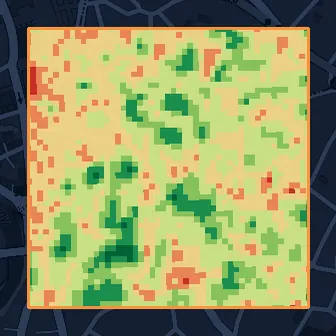
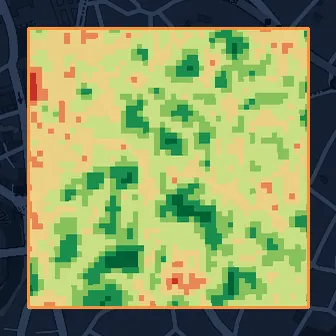
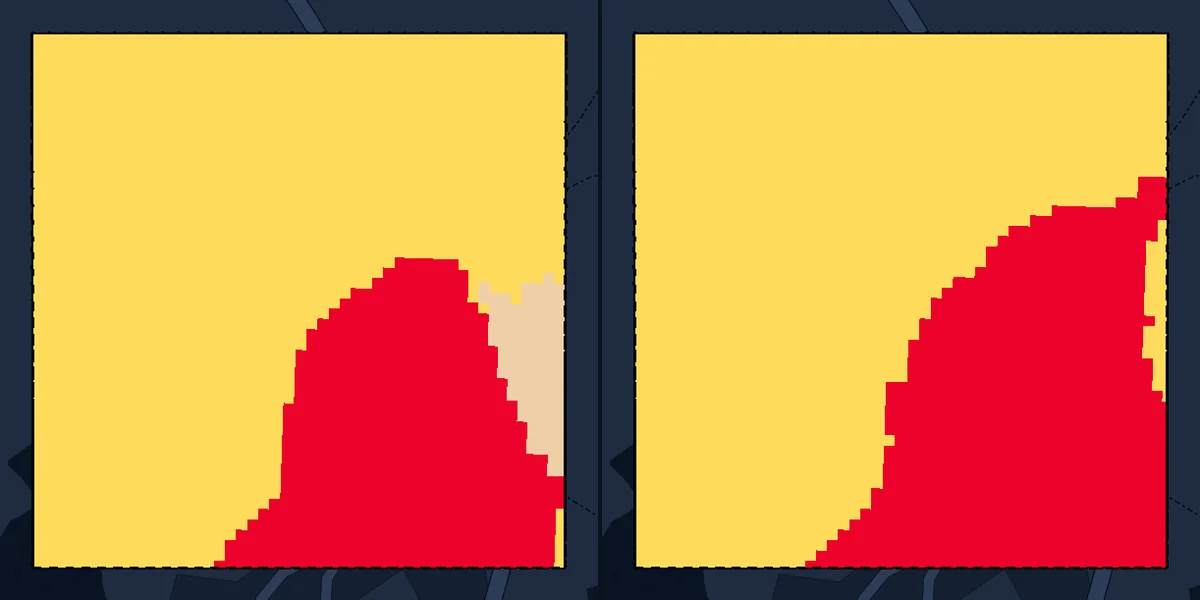
  • NDVI map of the test parcel for the week of April 1-7, 2024.
    April 1-7
  • NDVI map of the test parcel for the week of April 8-14, 2024.
    April 8-14
  • April 15-21, 2024: no image this week.
    April 15-21No image
  • NDVI map of the test parcel for the week of April 22-28, 2024.
    April 22-28
  • April 29-May 5, 2024: no image this week.
    April 29-May 5No image
  • NDVI map of the test parcel for the week of May 6-12, 2024.
    May 6-12
  • May 13-19, 2024: no image this week.
    May 13-19No image
  • NDVI map of the test parcel for the week of May 20-26, 2024.
    May 20-26

Weekly period, April 1 to May 26, 2024 · 25 ha test parcel, Bartın · Sentinel-2 (10 m)

Contains modified Copernicus Sentinel data 2024 · © OpenStreetMap contributors
Analysis suited to your crop

We set up the analysis for the crop you grow. We decide together with you which index to use.

Portfolio summary

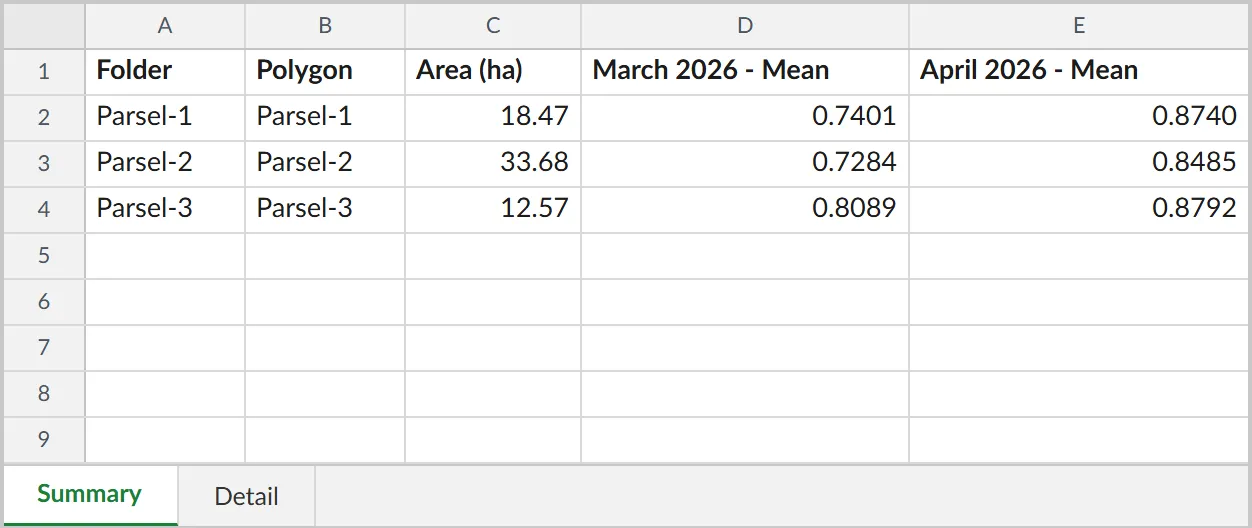
We also prepare a summary Excel spreadsheet for the whole portfolio. You see the period results of every parcel in one table and compare the parcels with each other. Reports are prepared in Turkish, English, or both; if you choose both, a separate file is produced for each language.

Portfolio summary Excel spreadsheet: three fields, with the folder, polygon, area, and mean NDVI for each month.

PDF report

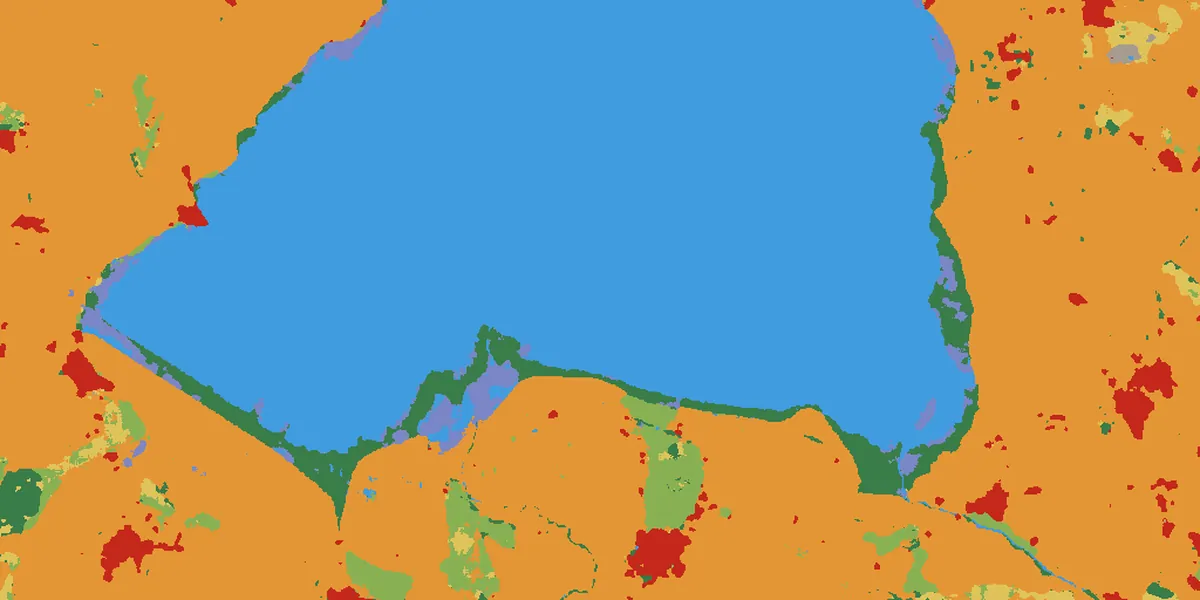
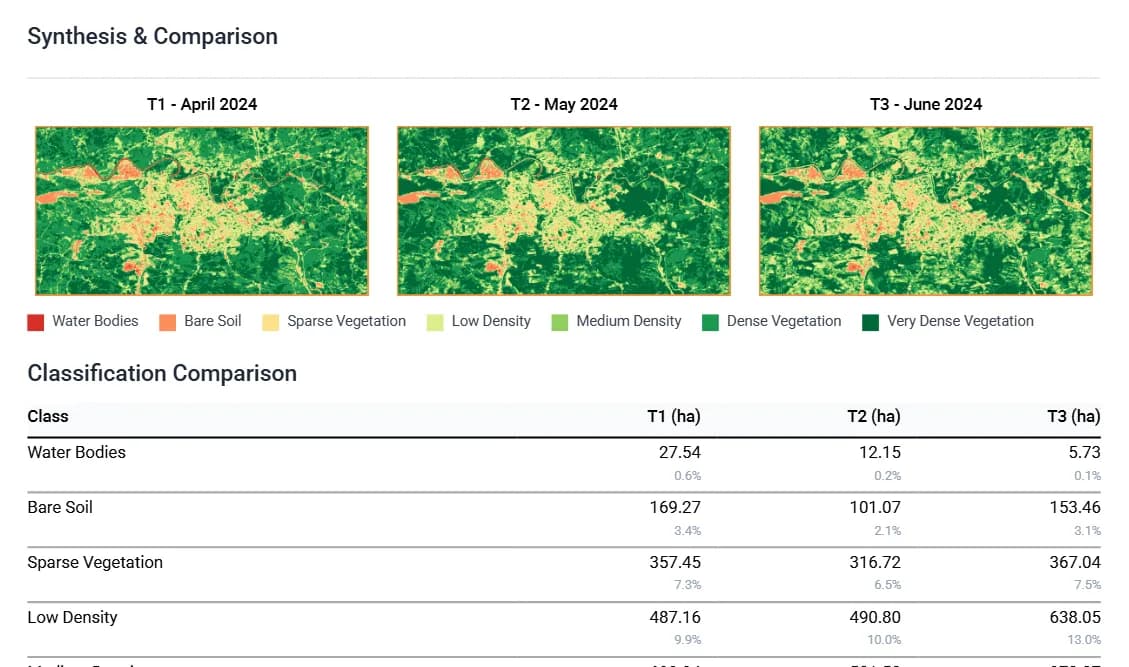
Shows the classified map of each period, the index statistics, and the area of each class in hectares and as a percentage.

Excerpt from the PDF report's synthesis page: the maps of the three months and the class areas.

Excel spreadsheet

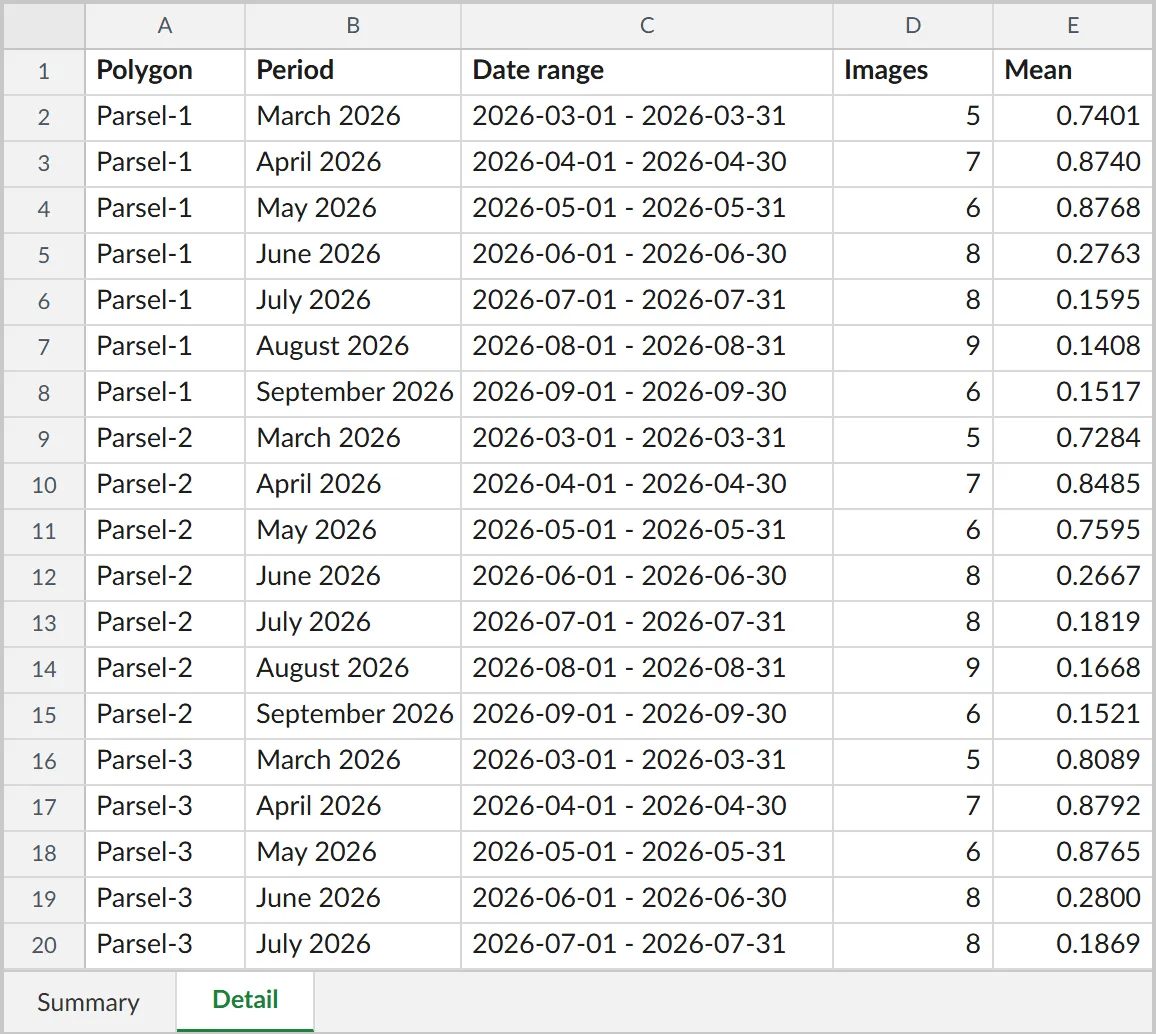
Each period is one row: date range, number of images used, mean, minimum and maximum, standard deviation, and median. The second sheet lists the class areas period by period, in hectares and as percentages.

Excerpt from the Excel spreadsheet's Detail sheet: one row for each field and month, with the date range, image count, and mean.

KMZ file

Opens in Google Earth. Each period's map is a separate layer with the parcel boundary; because the layers carry the period's dates, you can move between periods with Google Earth's time slider.

KMZ layer: NDVI map of Bartın, June 2024.

Contains modified Copernicus Sentinel data 2024 · © OpenStreetMap contributors
Sample portfolio

The sample portfolio consists of three fields from a pilot, covering March to September 2026. We took the values from the Summary and Detail sheets of the Excel spreadsheet we delivered; to keep the fields' locations confidential, we show only the values.

Summary sheet, month by month

Each row is a field, and each column is a month's mean NDVI. Slide to a month to open its class areas below.

Selected monthMay 2026

Summary sheet: monthly mean NDVI by field, March to September 2026
FieldMarch 2026April 2026May 2026June 2026July 2026August 2026September 2026
Parsel-118.47 ha0.740.870.880.280.160.140.15
Parsel-233.68 ha0.730.850.760.270.180.170.15
Parsel-312.57 ha0.810.880.880.280.190.160.17

May 2026class areas, from the Detail sheet

  • Parsel-118.47 ha96.9% Very Dense Vegetation · 6 images
  • Parsel-233.68 ha73.8% Dense Vegetation · 6 images
  • Parsel-312.57 ha94.9% Very Dense Vegetation · 6 images
  • Water Bodies
  • Bare Soil
  • Sparse Vegetation
  • Low Density
  • Medium Density
  • Dense Vegetation
  • Very Dense Vegetation
Show table
May 2026: class areas, hectares
ClassParsel-1Parsel-2Parsel-3
Water Bodies0.000.000.00
Bare Soil0.000.000.00
Sparse Vegetation0.020.010.00
Low Density0.120.060.00
Medium Density0.120.390.13
Dense Vegetation0.3224.850.51
Very Dense Vegetation17.898.3711.92

Harvest date check

Slide the declared harvest date. The two months with the largest NDVI drop form the window; if the date falls within the window, the harvest record is supported by satellite data.

June 12, 2026

In the window: 3 / 3 fields

Parsel-118.47 ha

0.880.28

In the windowMay 0.88 → June 0.28

Parsel-233.68 ha

0.760.27

In the windowMay 0.76 → June 0.27

Parsel-312.57 ha

0.880.28

In the windowMay 0.88 → June 0.28

Drop windowDeclared dateIn the monthly series, the window is two months; in a weekly series, it narrows to two weeks and widens over weeks without images.

How we work

  1. 1

    We take your parcel boundary file. Each boundary in the file is recorded as a separate parcel.

  2. 2

    We set the period and scope together with you: satellite (Sentinel-2 or Landsat), index, period type, date ranges, cloud threshold, and report language.

  3. 3

    We process every parcel in one run, with the same settings.

  4. 4

    We deliver each parcel's PDF report, Excel spreadsheet, and KMZ file together with the portfolio summary.

Turnaround time

With a system we built ourselves, we cut file and report preparation from months to weeks, even days.

What it documents

Documents the parcel's condition in each period, with dates and area.

The report gives each period's map with its date range and states the area of each class in hectares. For example, you can read in a single document how NDVI evolved through the sowing and harvest seasons of 2021-2025 on a parcel.

Each report carries the data, method, threshold, and literature reference it was produced with.

The metadata lists the dataset and its resolution, the cloud threshold, and the index formula, bands, and reference. Each period's row shows the number of images used in that period. Reports produced with Landsat 5 or 7 imagery also carry the data quality note for those satellites.

A period without a cloud-free image is marked "no data" in the report.

A verifier can then trace from the report itself which period each number comes from and how many images it is based on.

You compare your declared harvest date with the monthly series.

At harvest, the vegetation on the field is removed and the NDVI value drops markedly. You compare the month of this drop, or the week in a weekly series, with the declared harvest date; if the date falls within this window, your harvest record is supported by satellite data. Try it in the sample portfolio

Inputs

What we need from you

  • Parcel boundary file: KML, KMZ, SHP, or GeoJSON.
  • Without a file, a list of parcel corner coordinates is enough; we draw the boundaries.
  • The date range you want to monitor and the period type. If you know the sowing and harvest dates, list them separately for each year.
  • Your cut-off date, if any. We set up the periods to cover the time before and after it.
  • Report language: Turkish, English, or both.

What we prepare

  • Satellite imagery for the periods you choose, for each parcel
  • A classified map and index statistics for each period
  • The area of each class, in hectares and as a percentage
  • A PDF report, an Excel spreadsheet, and a KMZ file for each parcel
  • A summary Excel spreadsheet for the whole portfolio

Pilot

Let's start with a single parcel, set up for your goal; once you have seen the result, move on to the whole portfolio.

Send your parcel